Forms do not display after inactivity.
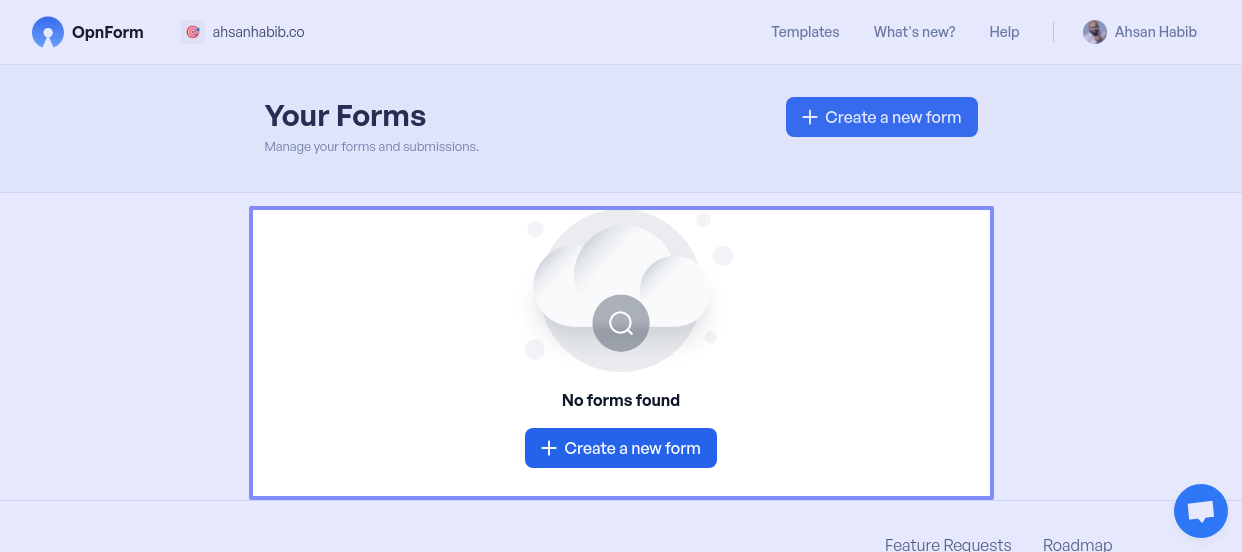
When I use the app and then work on other tabs, returning to the app dashboard later, I don’t see any forms. I have to log out and log back in to see the forms again. This happens all the time. I tried clearing my cookies and cache, but the issue didn’t resolve. Any help?
Log in to comment and vote
Comments2
form_enthusiast
Mar 29, 2025
I can confirm that I have also experienced this issue several times - chrome + macos on the managed service. I also needed to log out and back in again to see the forms.
Archie
Mar 27, 2025
Hi Ahsan,
Thanks for reaching out! I understand how frustrating it must be to keep logging out and back in just to see your forms again.
It sounds like the session might not be refreshing properly after a period of inactivity. Since clearing your cookies and cache didn’t help, we’d love to investigate this further. Could you let us know:
What browser and device you're using?
Approximately how long it takes for the issue to happen?
If you notice any errors in the browser’s console (you can check by right-clicking the page, selecting "Inspect," then going to the "Console" tab)?
In the meantime, refreshing the page (instead of logging out) might temporarily bring the forms back. But we’ll dig into this and keep you updated!
Looking forward to your response.
Best,